
Task and Calendars
Make sure things get done
Create tasks for appointments, meetings, phone calls, submission deadlines and more. See who’s doing what and share tasks with co-workers.
Create tasks for appointments, meetings, phone calls, submission deadlines and more. See who’s doing what and share tasks with co-workers.
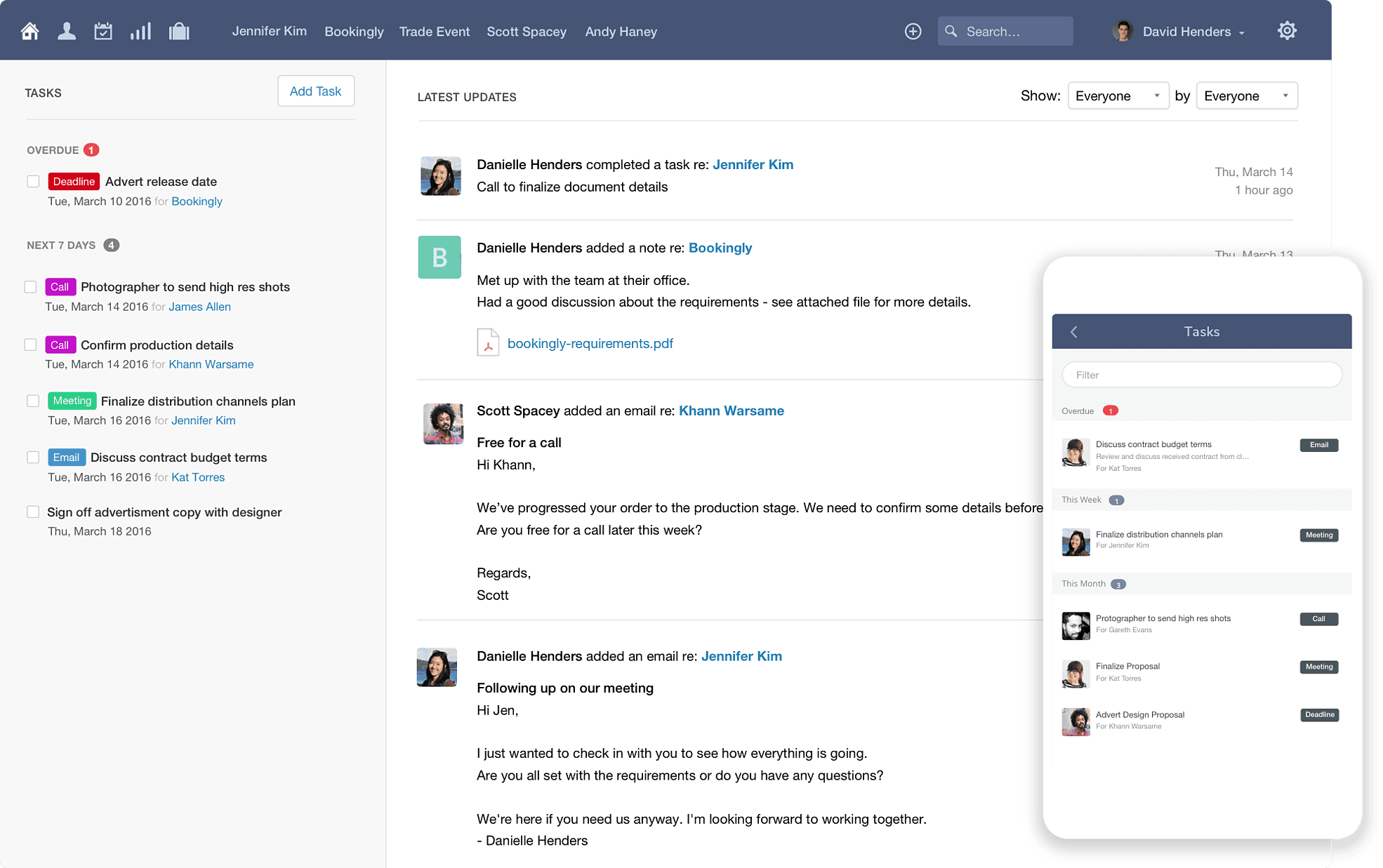
Keep organised with tasks
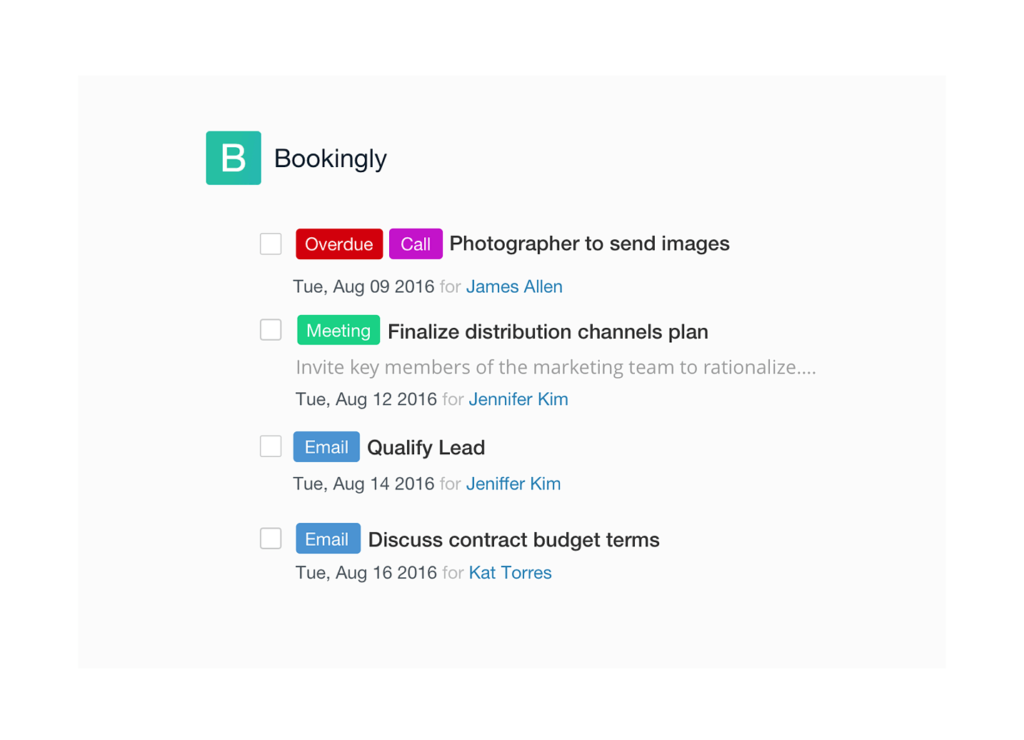
Tasks where you need them
Manage tasks for specific contacts, organizations, opportunities or cases
Categorize your tasks
Customize categories for your tasks and update colors to fit your process.
Describe tasks in detail
Enter a description for tasks which need some detail.
Calendar
Use the calendar to get a complete overview of tasks ahead.
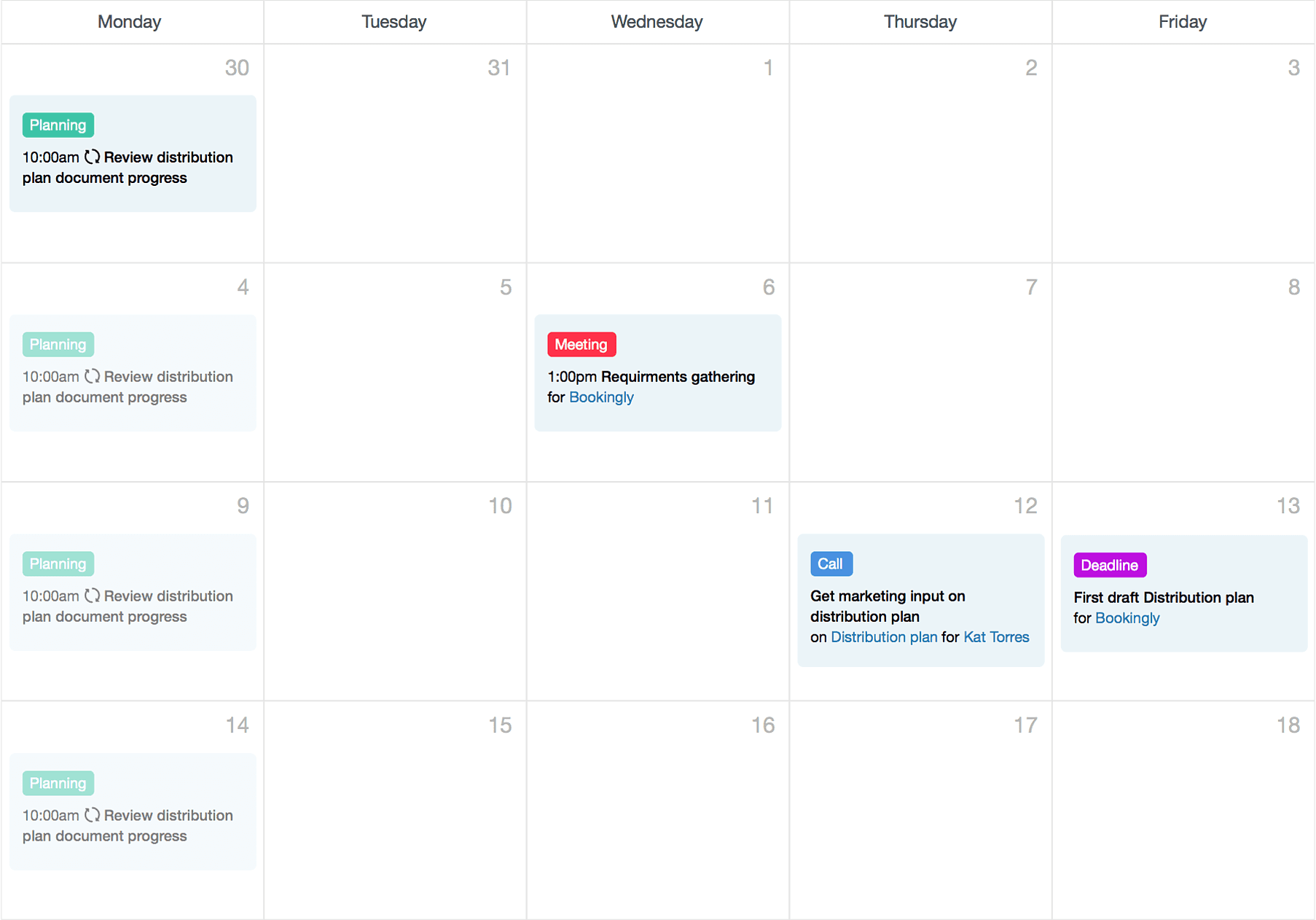
Create repeating tasks
Create a task and make it repeat weekly, monthly or yearly.
Create a task and make it repeat weekly, monthly or yearly.
Link tasks
Link tasks with contacts, opportunities or cases so it’s easy to refer back to what the task is about.
Link tasks with contacts, opportunities or cases so it’s easy to refer back to what the task is about.
Create tracks to match your business processes
If you have standard processes, such as the way you approach each sale, configure these as “tracks” in Capsule to enable the same set of tasks to be followed for each sales opportunity or case.

Calculate relative due dates
Each task in a track can be linked to the previous task. For example, a “call back” task can be set as due 5 days after an “initial call” task, or a track can work towards a relative end date.